
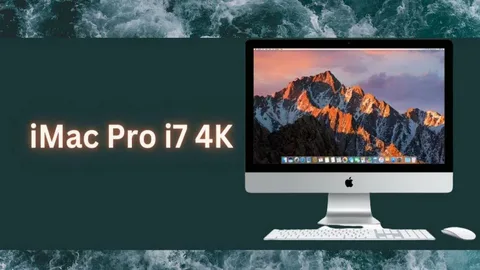

Everything you need to know before buying this high performance Mac
Apple’s lineup of desktop computers has always attracted professionals, creatives, and everyday users looking for reliable performance wrapped in elegant design. Among the many configurations Apple has offered over the years, the imac pro i7 4k setup stands out as a popular choice for people who want strong processing power paired with a sharp, vibrant display.
In this article, we’ll break down what this configuration actually means, how it performs, who it’s best suited for, and what to expect in terms of specifications, pricing, and real-world usability. Whether you’re a student, a content creator, or someone upgrading an older Mac, this guide will help you understand everything about this setup in simple terms.
What Does “iMac Pro i7 4K” Actually Mean?
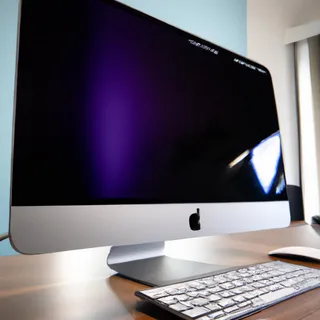
Before diving deeper, it’s important to clarify a common point of confusion. Apple has sold two separate product lines that often get mixed up under this search term.
The iMac Pro was a standalone product line featuring a 27-inch 5K Retina display, and it was exclusively available with Intel Xeon W processors, not Core i7 chips. It was designed for high end professional workloads like 3D rendering, video editing, and scientific computing.
Separately, Apple’s standard 21.5-inch iMac with Retina 4K display was offered with Intel Core i7 processor options in certain years. This model combined a 4K screen with strong everyday performance, making it a favorite among home users and small business owners.
So when people search for “imac pro i7 4k,” they are usually referring to this 21.5-inch iMac configured with an Intel Core i7 chip and a 4K Retina display, rather than the 27-inch iMac Pro itself. Understanding this distinction helps buyers choose the right machine for their actual needs.
Quick Specs Overview
| Feature | Details |
|---|---|
| Display Size | 21.5-inch |
| Resolution | 4K Retina (4096 x 2304 or 4096 x 2160 depending on model year) |
| Processor Option | Intel Core i7 (quad-core, select model years) |
| Graphics | Integrated or discrete AMD Radeon Pro (varies by year) |
| Storage | Fusion Drive or SSD options |
| Design | All-in-one aluminum chassis |
| Operating System | macOS |
Display Quality and Design
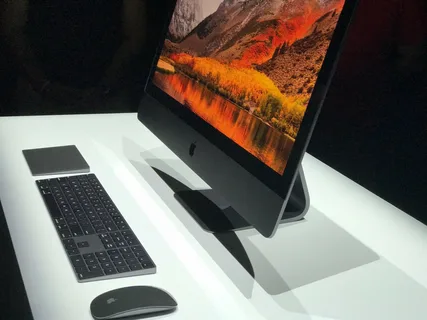
One of the biggest selling points of this configuration is the 4K Retina display. It offers sharp text, accurate colors, and excellent detail, making it suitable for photo editing, video streaming, and everyday productivity work.
The all-in-one design keeps the setup clean and clutter-free. There’s no separate tower to manage, which makes it a great fit for smaller desks or home offices.
Apple’s build quality also stands out here. The aluminum body, slim bezels, and sturdy stand give the machine a premium feel that has aged well across multiple generations.
Performance With the Intel Core i7 Processor
The Intel Core i7 option was the top tier processor choice available for the 21.5-inch 4K iMac in the years it was offered. It provided noticeably faster performance compared to the base i3 or i5 configurations.
Everyday Tasks
For browsing, word processing, spreadsheets, and general multitasking, the i7 configuration handles everything smoothly without slowdowns.
Creative Work
Users working with photo editing software or moderate video editing tasks will benefit from the extra processing headroom the i7 chip provides compared to lower tier options.
Limitations to Keep in Mind
This configuration was never marketed as a workstation class machine like the true iMac Pro. Heavy 3D rendering, large-scale video production, or intensive machine learning tasks are better handled by more powerful systems.
Who Should Consider This Setup?
This configuration is a solid pick for a specific type of user, and understanding your own needs is key to making the right decision.
- Home users who want a powerful all in one desktop
- Students needing reliable performance for coursework
- Small business owners handling everyday office tasks
- Casual photographers and hobbyist video editors
- Anyone who values screen clarity for daily use
On the other hand, professionals working in demanding video production, animation, or heavy 3D design pipelines should look into higher-end Mac options built specifically for those workloads.
Storage and Memory Considerations
Storage options for this configuration typically included Fusion Drive or SSD choices, depending on the specific model year. SSD storage is strongly recommended if performance and speed are a priority, since it significantly improves boot times and file access speed.
Memory (RAM) configurations also varied, and many users chose to upgrade RAM at the time of purchase or shortly after, depending on the model’s upgradeability.
Longevity and Software Support
Apple typically supports its Mac computers with macOS updates for several years after release. However, support windows do close eventually, so it’s worth checking current compatibility before purchasing an older unit, especially if buying secondhand.
Checking the exact model year and specifications before buying is essential, since performance, port options, and supported software can vary noticeably between years.
Pros and Cons
Pros
- Sharp and vibrant 4K Retina display
- Clean, space-saving all-in-one design
- Reliable performance for everyday and creative tasks
- Long-term build quality typical of Apple hardware
Cons
- Not designed for heavy professional workloads
- Limited internal upgradeability compared to desktop towers
- Older units may have reduced software support over time
Conclusion
The setup often searched as imac pro i7 4k generally refers to Apple’s 21.5-inch iMac with a 4K Retina display and an available Intel Core i7 processor, rather than the separate iMac Pro line. It remains a capable, well built desktop choice for everyday use, studying, and light creative work.
Buyers looking for extreme professional performance should instead consider Apple’s higher-end desktop offerings. But for most everyday needs, this configuration continues to offer a reliable, visually impressive computing experience.
Frequently Asked Questions (FAQs)
1. Is the iMac Pro available with an Intel Core i7 processor?
No. The iMac Pro line was exclusively equipped with Intel Xeon W processors. The Core i7 option was available on the standard 21.5-inch 4K iMac, not the iMac Pro.
2. What screen size comes with the 4K Retina display option?
The 4K Retina display was offered on the 21.5-inch iMac model, while the larger 27-inch iMac used a 5K display instead.
3. Is this configuration good for video editing?
It can handle light to moderate video editing tasks well. However, for professional-grade or large scale video production, a more powerful Mac is recommended.
4. Can the RAM or storage be upgraded later?
Upgradeability depends on the specific model year. Some units allow RAM upgrades, while others have more limited internal access, so checking the exact model specifications is important.
5. Is this a good choice for students?
Yes, it’s well suited for coursework, research, writing, and general study needs, along with occasional creative projects.
6. How long will this computer receive software updates?
Apple generally supports Mac models with macOS updates for several years, but support timelines vary by model year, so checking current compatibility is recommended before purchasing.
7. What’s the main difference between this and a true workstation Mac?
The main difference lies in processing power and expandability. Workstation class Macs are built for intensive professional workloads, while this configuration is designed for everyday and moderate creative use.